
Features
Everything you need to post with confidence
Write, schedule, publish and see how it went, all from one calm place.
Composer
Write once, then make it fit
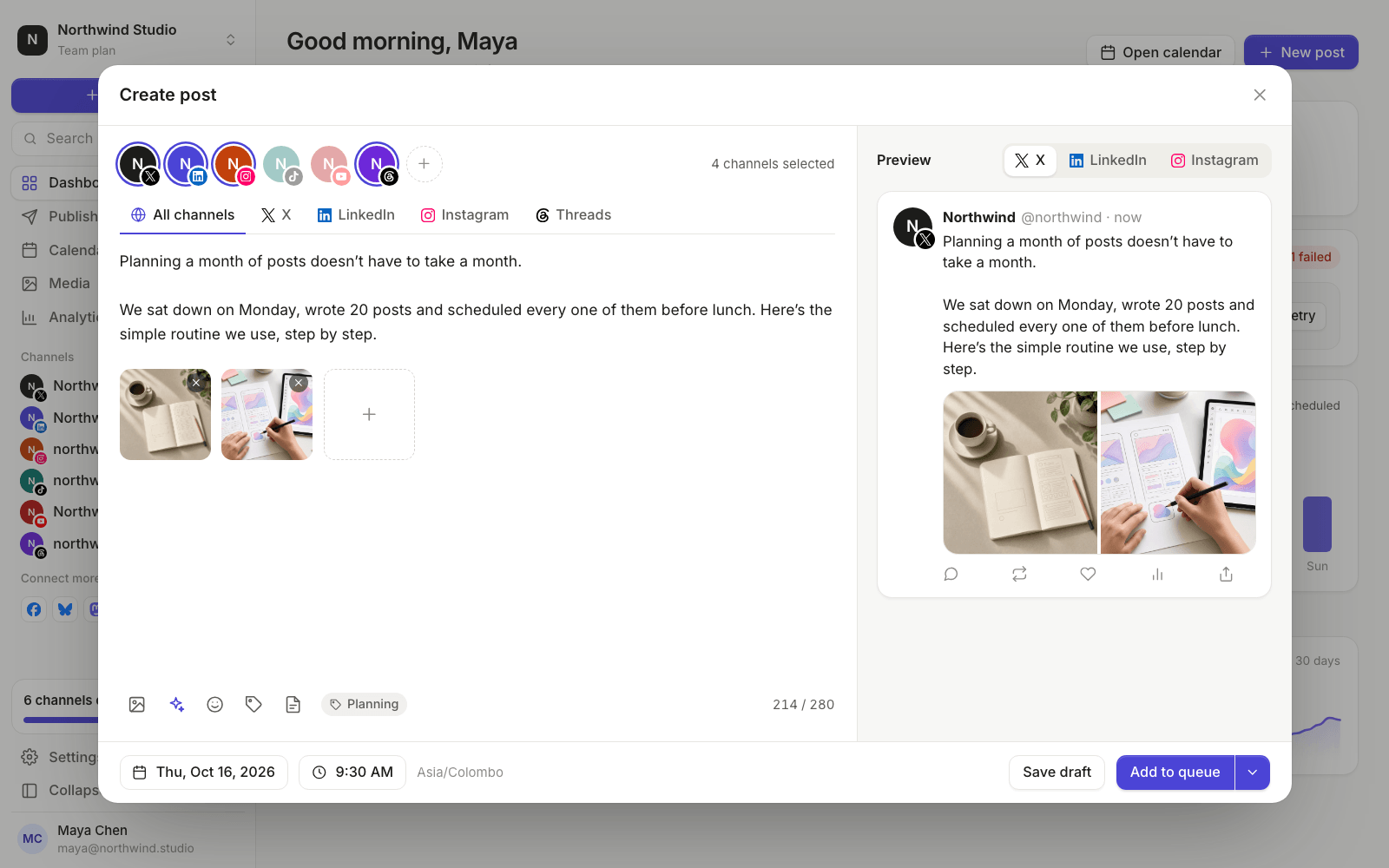
Write your post once and pick which channels it goes to. Nothing is selected by default, so a post only goes where you send it.
- The global editor (the globe icon) edits the post for every channel
- Click a channel to change its text or media, and switch back to the shared version anytime
- Live preview for each platform, including playing videos
- Checks character and media limits, and points to the channel that needs fixing
- Tags, reusable templates and drafts
Scheduling and calendar
Pick a time, or let the queue pick for you
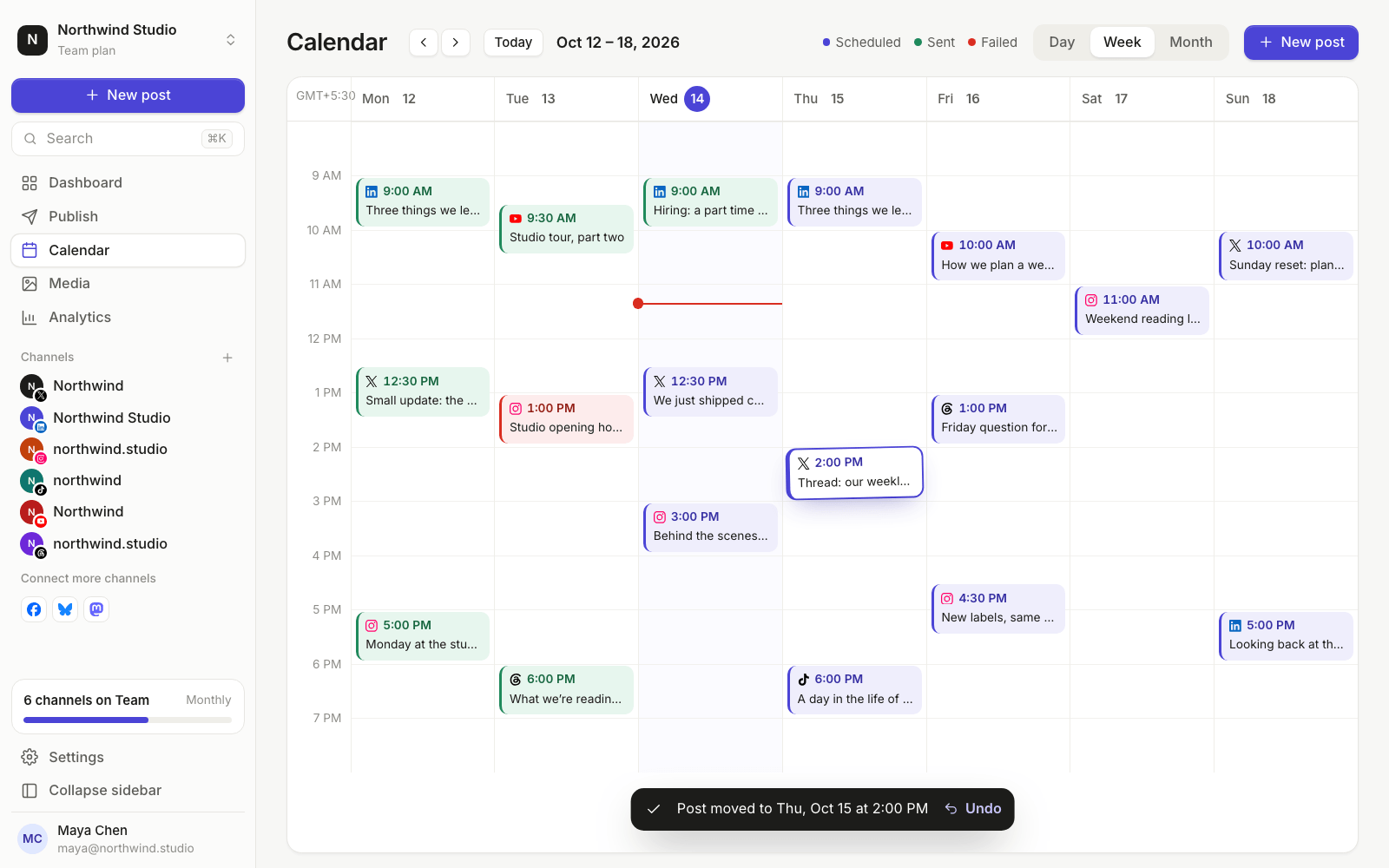
Post now, choose an exact time, or add a post to your queue and it fills the next free slot in your posting schedule. Need it out sooner? Add it to the top of the queue.
- Calendar with Day, Week and Month views showing all 24 hours
- Drag and drop a post to reschedule it, with an Undo
- A workspace timezone, so times are always shown correctly
- Queue, Drafts, Sent and Failed lists
- Failed posts show a plain reason and a Retry button
Analytics
See how your posts are doing
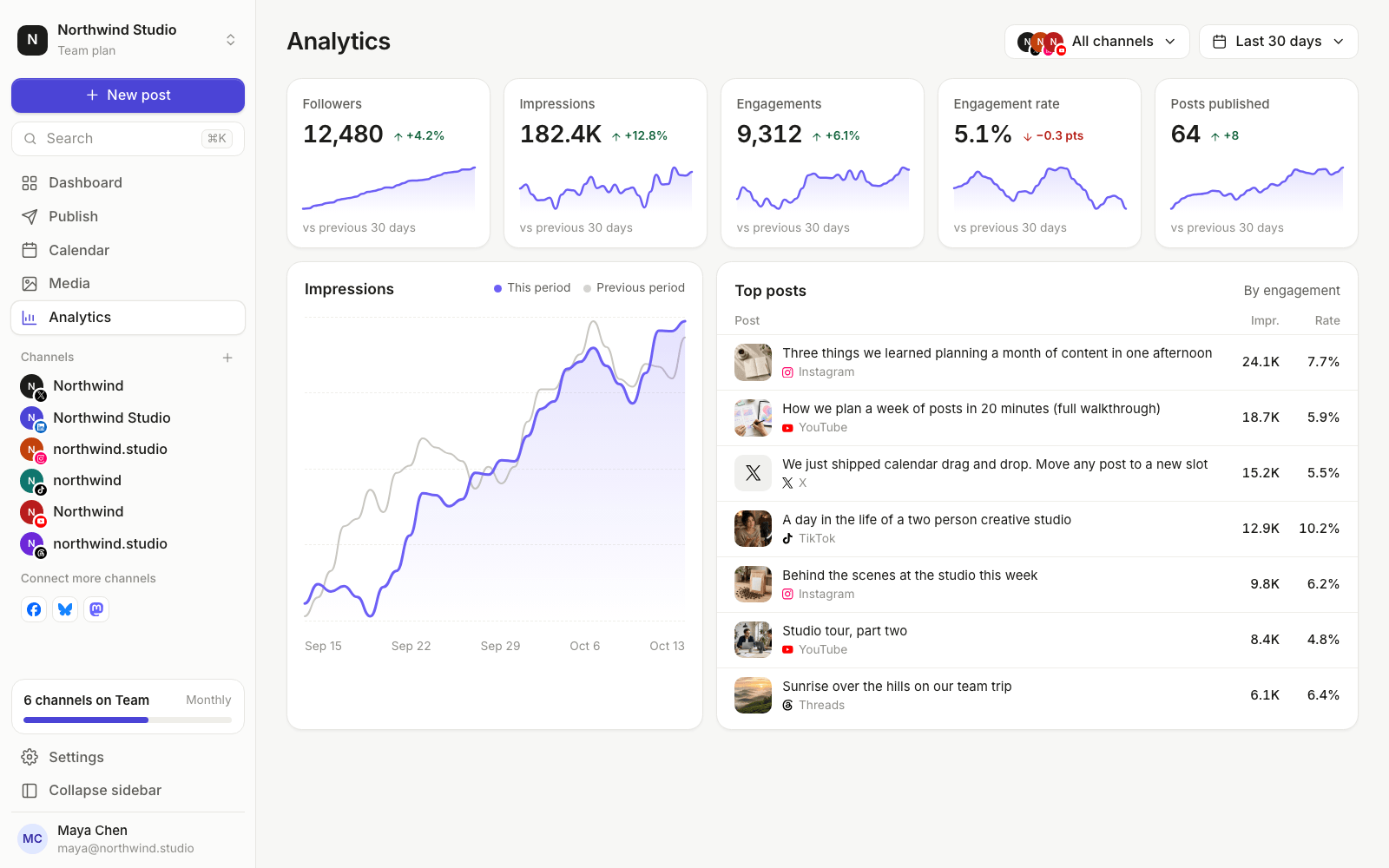
Pick a channel, or all channels, and a date range. Each card shows a trend chart and how it compares with the previous period.Available where the platform’s API provides metrics. Not available for LinkedIn.
- Followers and impressions
- Engagements and engagement rate
- Posts published in the period
- Top posts by performance
Media library
Your images and videos, ready when you are
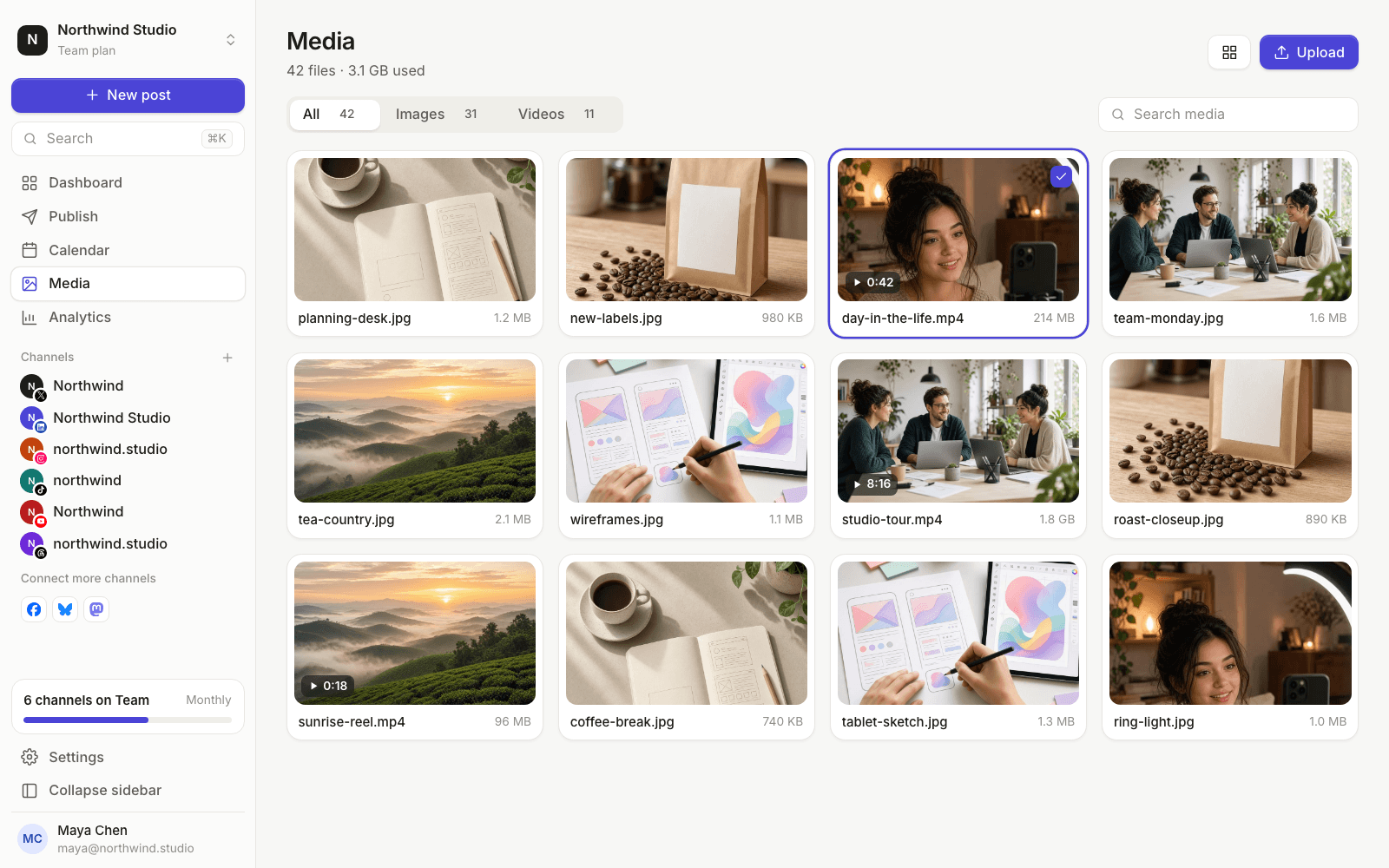
Keep your images and videos in your own media library. Add them to a post by uploading something new or picking from the library.
- Upload images and videos, or pick from your library
- Videos up to 500 MB on Free and 10 GB on paid plans
- Large videos upload reliably in parts
TikTok
Every TikTok shared the way you choose
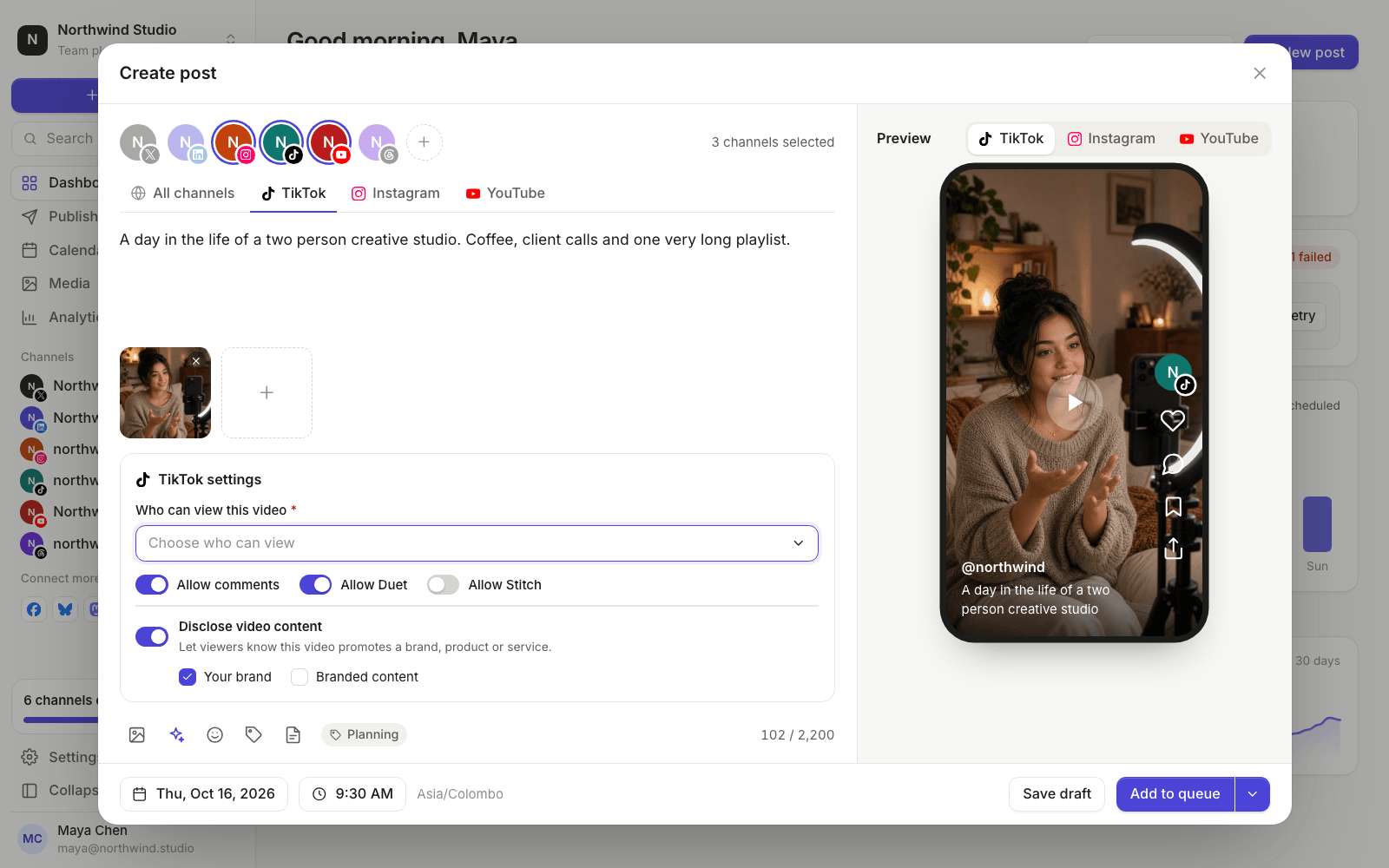
PostGic follows TikTok’s content sharing rules. Before a video goes out, you confirm exactly how it should be shared.
- Choose who can view each video. There is no default.
- Turn comments, Duet and Stitch on or off
- Disclose promotional or branded content
YouTube
Publish videos and look after them in one place
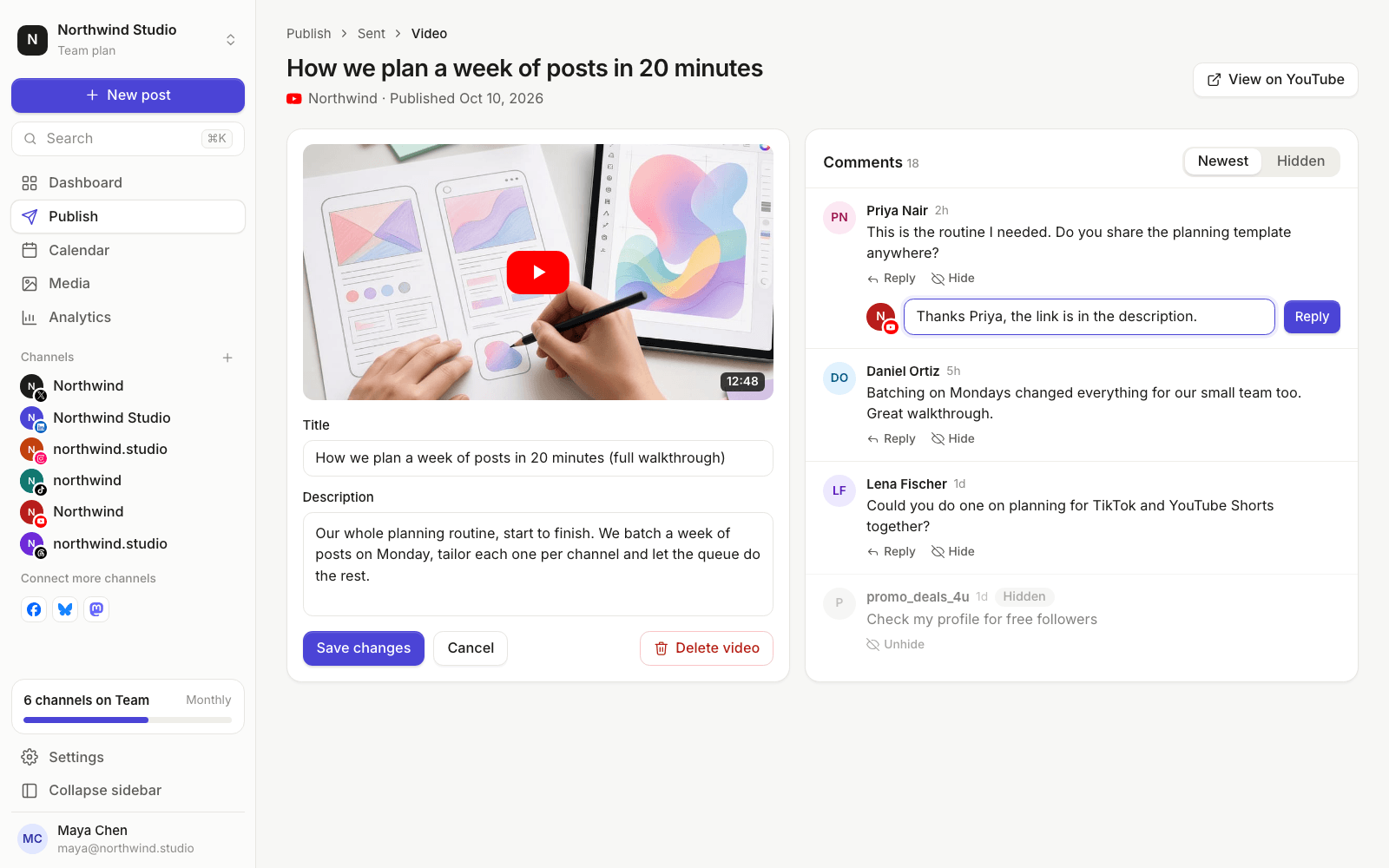
Upload a video now or schedule it for later. Once it is published, keep managing it without leaving PostGic.
- Upload or schedule videos
- Edit the title and description after publishing
- Read, reply to and hide comments
- Delete a video when you need to
Google Business Profile
Keep your Google listing fresh and answer every review
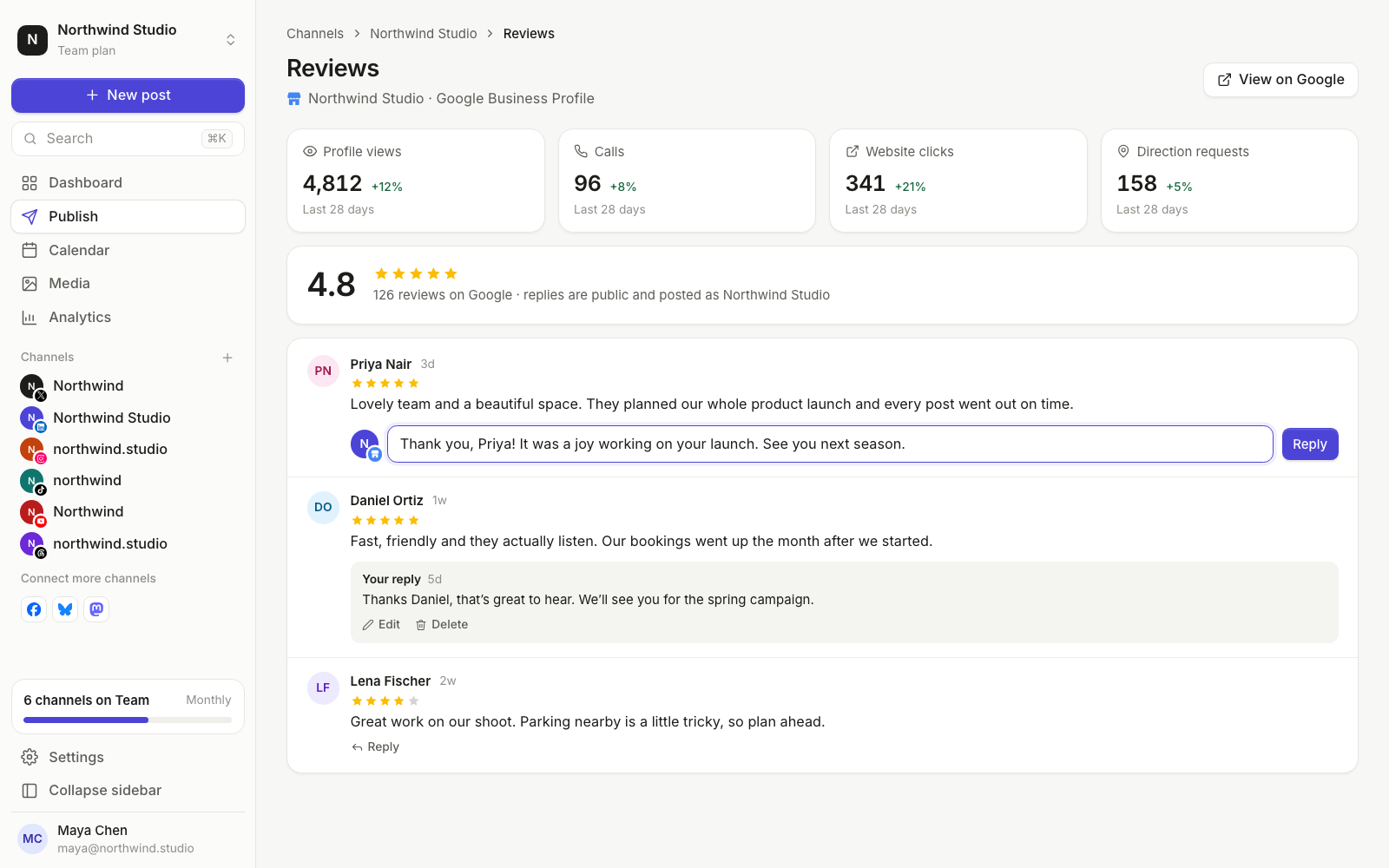
Post to your Business Profile alongside your other channels, then see how people find you on Search and Maps and reply to reviews without leaving PostGic.
- Publish What’s New updates, events and offers, with a photo and a button such as Book or Call now
- Each verified location is its own channel
- Daily profile views, calls, website clicks and direction requests
- Read reviews, reply as your business, and edit or delete your replies
AI Assistant
A second pair of eyes for your words
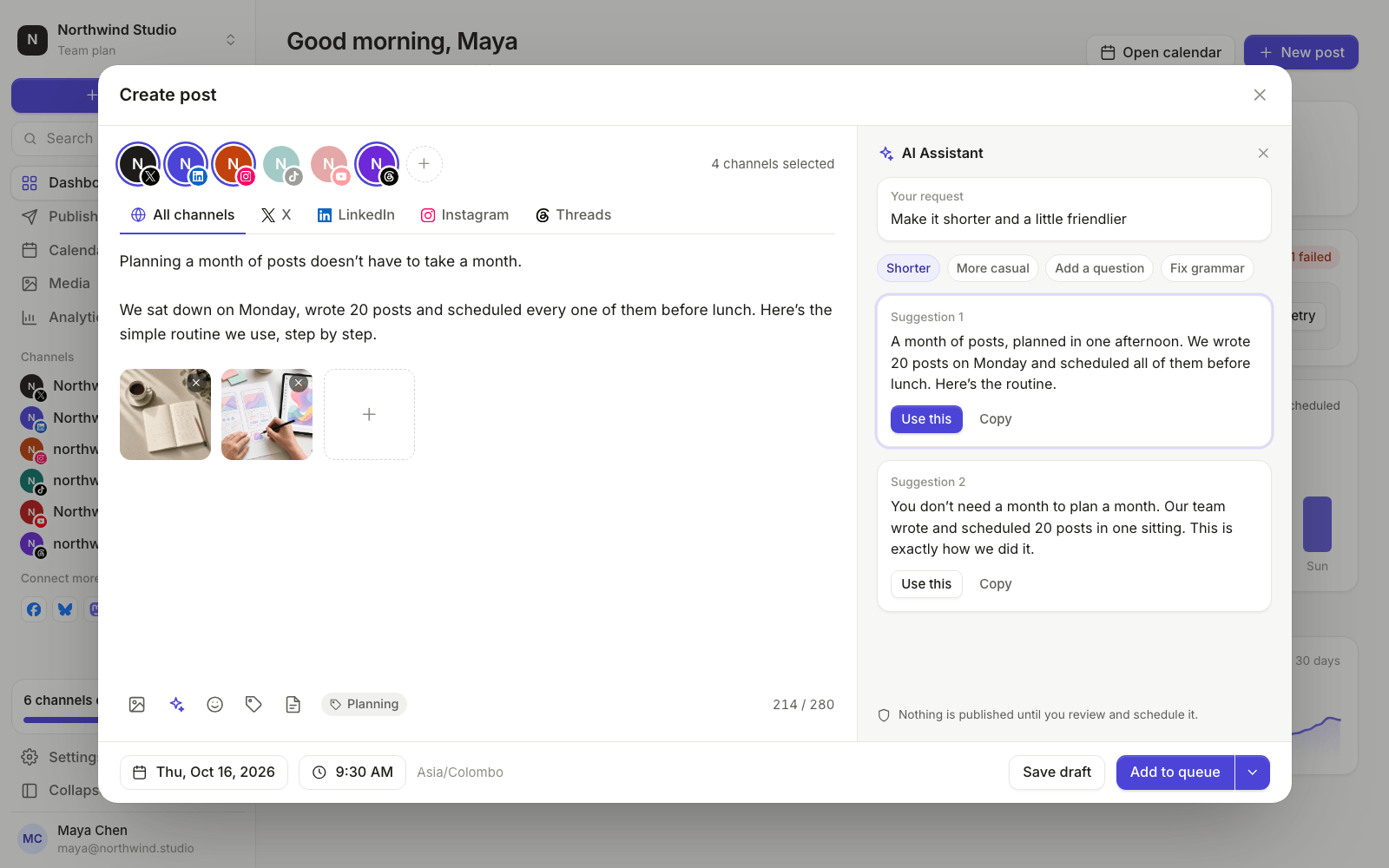
Ask the AI Assistant, powered by OpenAI, to suggest a rewrite of your post. You stay in charge: nothing is published until you review it and schedule it.
- Suggests rewrites of your post
- You review and edit every suggestion
- Nothing goes out until you schedule it
Teams and workspaces
Share the work with your team
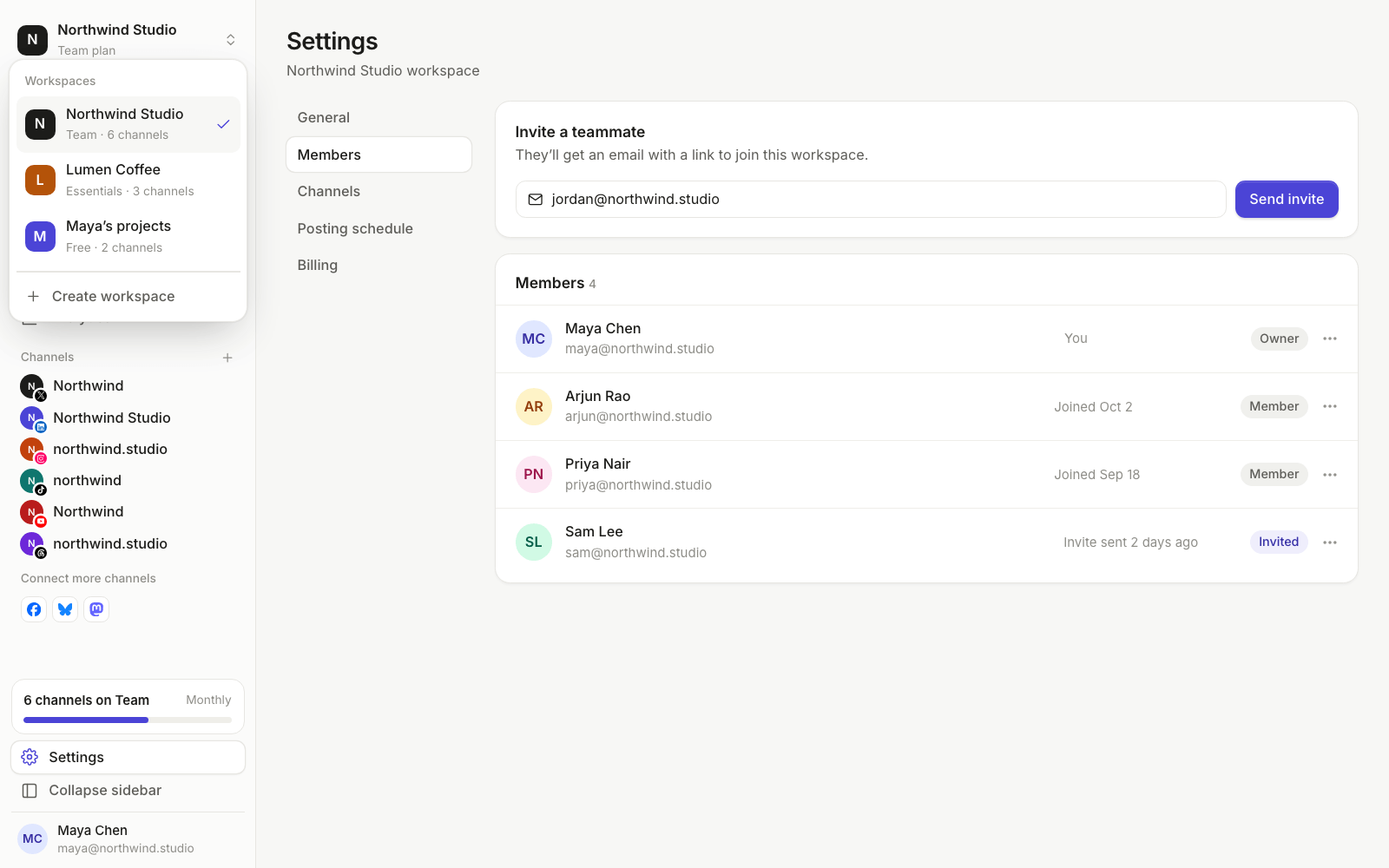
Your channels, posts and media live in a workspace. On the Team plan, invite as many teammates as you need.
- Workspaces keep channels, posts and media together
- Invite teammates on the Team plan
- Unlimited team members on Team. Essentials includes 1.
Security
Your accounts stay yours
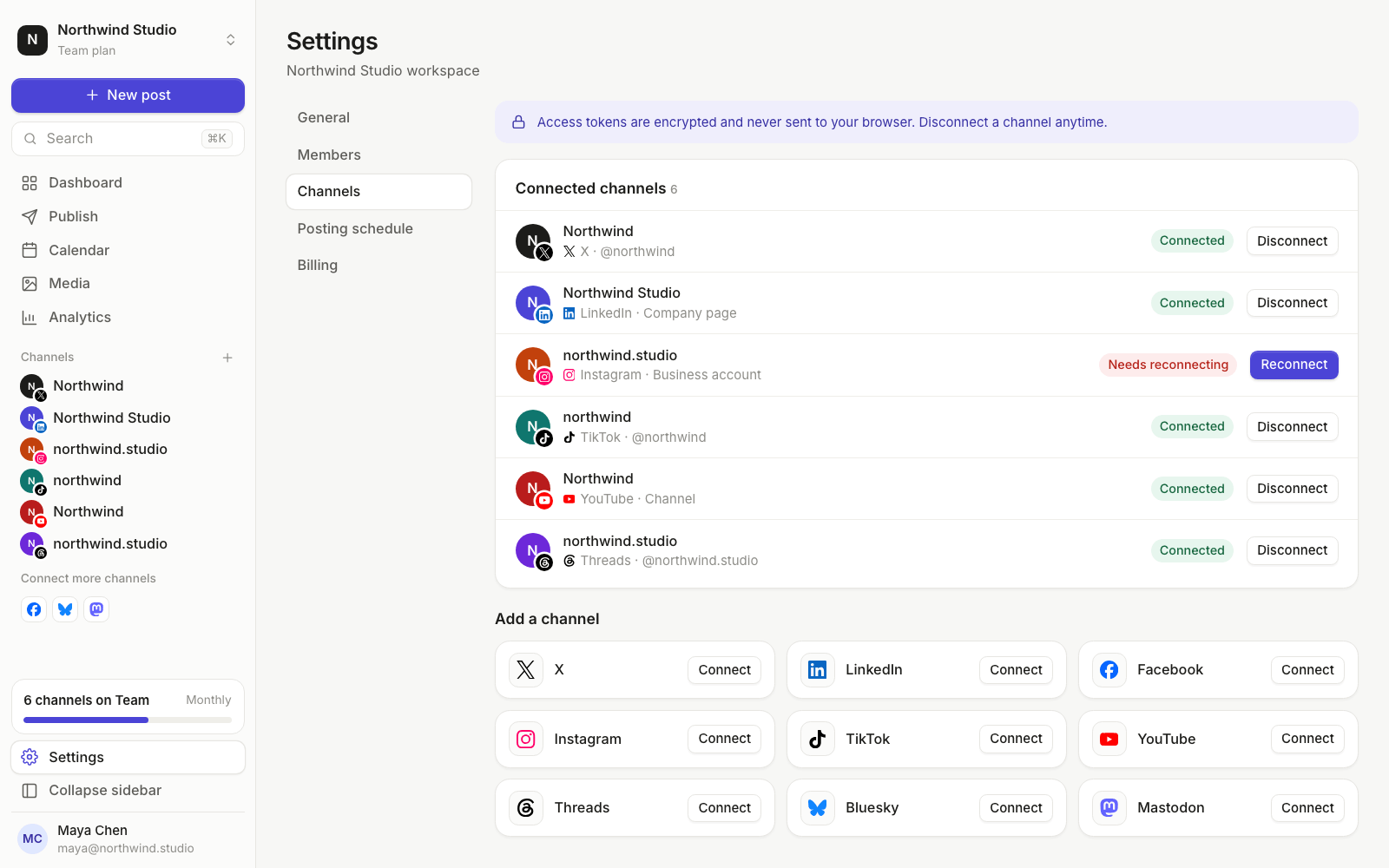
PostGic only publishes what you create or approve, to the accounts you connect. You can disconnect any account at any time.
- Access tokens are encrypted and never sent to the browser
- Only publishes what you create or approve
- Disconnect any account anytime
Your next week of posts, scheduled in one sitting
Connect your accounts, write your posts and let PostGic handle the publishing. Free to start, no credit card needed.